Markdown for Beginners: Write Formatted Text With Plain Characters
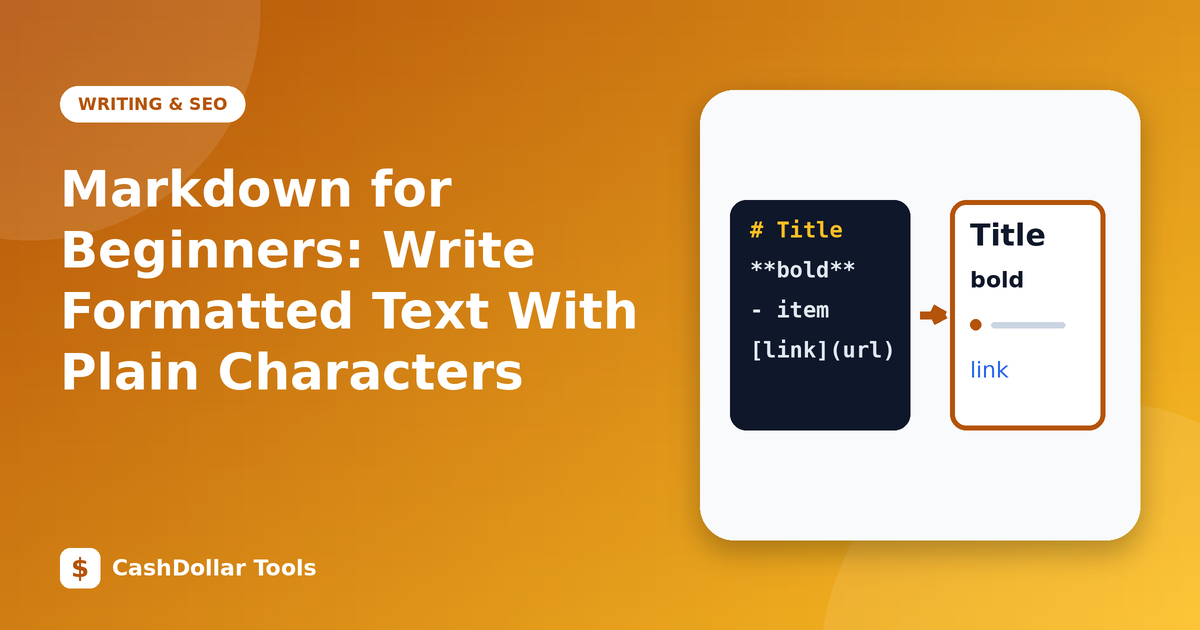
Markdown is a lightweight way to format text using ordinary characters. You write plain text with a few symbols, and software converts it to headings, lists and links. Developers use it for documentation, but anyone can learn it in ten minutes.
Why people like it
- Fast: you never take your hands off the keyboard to click formatting buttons.
- Portable: a Markdown file is plain text, readable in any editor and easy to store in version control.
- Widely supported: GitHub, many note-taking apps, forums and static-site tools understand it.
The basics
Headings use hash symbols: # Heading 1, ## Heading 2, ### Heading 3.
Emphasis: *italic* or _italic_, and **bold**.
Lists: start lines with - or * for bullets, and 1. for numbered lists. Indent for sub-items.
Links: [link text](https://example.com).
Images: . The alt text describes the picture for screen readers.
Quotes: begin a line with >.
Inline code: wrap text in backticks, like this. For blocks of code, use three backticks above and below.
Horizontal rule: three dashes on their own line.
Paragraphs and line breaks
Leave a blank line between paragraphs. A single line break within a paragraph is usually treated as a space; to force a break, end the line with two spaces or use a blank line.
Tables
Many Markdown flavours support tables with pipes and dashes. They are handy for small data sets, though complicated tables are easier in HTML.
Flavours
There are several variants. CommonMark is a strict, well-specified standard, and GitHub Flavored Markdown adds tables, task lists and strikethrough. If something does not render, check which flavour your tool supports.
A good workflow
- Draft in an editor with live preview, so you can see the result.
- Use headings to build an outline.
- Keep lines and paragraphs short.
- Convert to HTML or PDF when you are ready to publish.
Security note
Markdown can contain raw HTML. If you accept Markdown from users on your own site, sanitise the output so scripts cannot be injected.
Practice
Take a page of notes and rewrite it using headings, a bulleted list and one link. Preview it. You will quickly develop the habit, and your notes will become more organised.
Markdown rewards a small investment with years of faster writing.